
Files
Give files a clear home, with naming rules and folders you can keep using.



The digital life you already have
Your next digital step starts with knowing what you have. Organize for yourself now, then decide which information could support AI and what should stay private.
Give files a clear home, with naming rules and folders you can keep using.

Clear the two intake zones and build a simple routine for what arrives next.
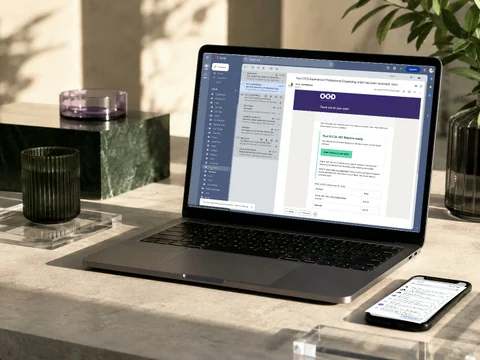
Separate action from reference, with useful labels, project folders, and return routines.

Choose a trusted password home and establish safer access and recovery routines.
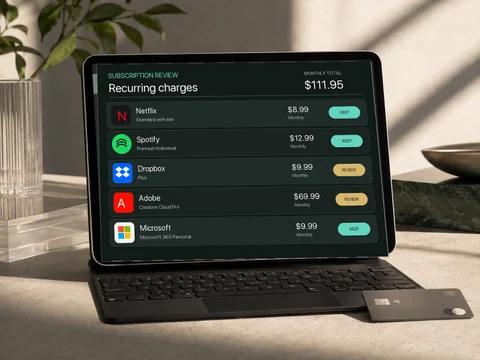
Review renewals, recurring charges, and the services that still earn their place.
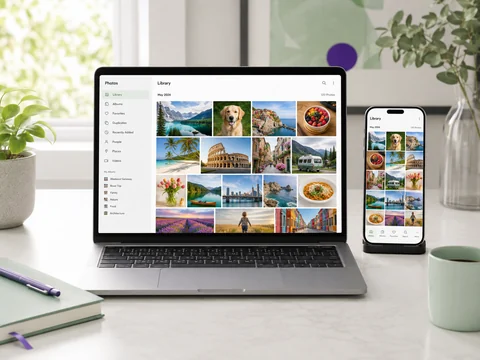
Bring structure to albums, duplicates, memories, and the way your library is backed up.

Make commitments, timing, and event details easier to see and share.
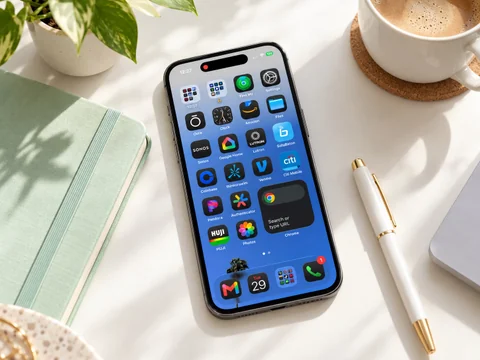
Keep the apps you use and review the rest, with attention to their data and subscriptions.

Connect small paper stacks to a practical system for scanning, naming, filing, and keeping originals.

When the work spans your tools
Device synchronization, communication between your tools, and backups need time to understand the setup. Address these through a Digital Infrastructure Audit and longer one-on-one work, beyond the self-guided Reset.
We can also work through contacts, notes, shared access, and the structure behind AI-ready information.
07
Start here / on your own
Get organized for yourself. Get ready for what comes next. Built-in prompts, a focus timer, and short videos guide you through your own files and tools. Build a clearer foundation for AI on your own schedule, without needing an AI account or uploading your information.
Self-guided, not live-supervised. An optional finishing exercise connects one useful task with trusted information and privacy boundaries. AI-agent building, private sessions, and the Audit are separate from the Reset.
Private digital organizing

Work alongside an O.C.D. organizer in a private virtual session. Choose a Focus Session for one defined organizing or AI-preparation priority. Choose an Audit for a whole-system plan, including where an AI agent could be useful and what information would support it.
Make the changes
60 minutes · Private one-on-one

Private hands-on work inside your actual tools. Organize one area, prepare a trusted set of documents for an AI-assisted workflow, or work on a defined step from your Audit roadmap. A fully built AI agent is not included.
O.C.D. Team Member $120 Justin $150
Explore the Focus Session →Decide what needs to change
90 minutes · Private virtual assessment
A 90-minute assessment plus your Digital X-Ray and Architecture Roadmap. Identify where AI could help, how your organizing work supports it, and what preparation or access boundaries are needed. The $222 includes the session and roadmap preparation, not a fully built AI agent.
$222 Session + private roadmap
Explore the Audit →You stay in control. You choose what to share, open, and close, and your cursor stays yours. We guide you step by step; we never access your computer remotely or take control of it. You do not need to share your passwords. Your private roadmap holds decisions and operating rules, not copies of your sensitive files.
How the system is built
Map files, devices, inboxes, passwords, photos, backups, access needs, and the digital habits creating friction.
Remove duplicates, stale files, unused apps, unnecessary subscriptions, and unclear storage locations.
Create naming conventions, folder logic, inbox rules, password practices, backup routines, and shared access rules.
Leave the client with a structure that can be understood, repeated, and maintained without the organizer present.
When it helps
Yes. Focus Sessions, the Digital Infrastructure Audit, and follow-up implementation are private virtual sessions. You work alongside an organizer by video call.
No. The work can include email, calendars, contacts, photos, passwords, backups, devices, cloud storage, subscriptions, privacy, AI-ready data, and maintenance habits.
The goal is not a one-time cleanup. The goal is a simple operating system you understand, trust, and can keep using.

Trusted by icons since 2008
“Justin organized my house and I came home and I thought I was in the wrong house. He is so fantastic. Amazing.”
Sharon Osbourne

Trusted by icons since 2008
“If you are anything like me, I have great difficulty being creative when my desk and my life are filled with clutter. Being an artist and busy father, I very rarely have total foreseeable control of my daily schedule. Justin and Organize & Create Discipline takes the normally exhausting task of organizing your digital assets and simplifies it.”
“Thanks to Justin's methods I am able to stay on top of my business, my personal life, and my family obligations with ease.”
Jaleel White

Trusted by icons since 2008
“Organize & Create Discipline helped me organize and get my life in order before and after our newest baby. I honestly had such a feeling of accomplishment and relief when we were finished. Whenever I am feeling overwhelmed by stuff I know I can call O.C.D. and they will help me get it under control.”
Busy Phillips

Trusted by icons since 2008
“Justin Klosky and his O.C.D. Experience has changed the way my family and I live. We love how he has organized our closets and our home, and most importantly taught us how to not let clutter pile up and take over our life and space.”
Julie Chen

Trusted by icons since 2008
“I hired Organize & Create Discipline (O.C.D.) to help organize and sort through clothes and memorabilia that I pulled out of storage to sell. Justin and his team are knowledgeable and incredibly helpful not only with the logistics of the organizing but Justin is sensitive to the potential emotional component that goes into sorting through belongings. I could not have done it without them.”
Katee Sackhoff

Trusted by icons since 2008
“Organize & Create Discipline helps keep my life in order. Whether it is in the kitchen or playroom, Justin and the O.C.D. team have made my living spaces beautiful and functional.”
Christine Chiu

Trusted by icons since 2008
“I have moved a lot in my life, whether it has been across the world or just to the other side of town, and every single time, my buddy Justin Klosky and his team at Organize & Create Discipline have stepped in and completely saved the day. They are not just moving boxes and furniture around, they are bringing calm and order to absolute chaos.”
“Every time they have helped me, from moving to just getting my space in order, they have been spot-on. They have this ability to make everything click into place, like they can see the perfect flow that I cannot. It is not just about where stuff goes, it is about making your space work for you.”
Jack Osbourne

Trusted by icons since 2008
“Justin Klosky has created an extraordinary business with Organize & Create Discipline. Because I travel so often, it is very important to me that when I return home I feel a sense of serenity and order. This is accomplished through organization. Additionally, I run a company out of my home office so it is essential to me that my home be organized in such a way that will support my work.”
“Justin has countless organizing tips for how to synchronize a home and business more effectively, and yet, is completely collaborative with what my specific habits and needs may require. He is fast, incredibly fast, and did the majority of his organization while my husband and I were out of town. What a treat to return home to a sanctuary of organization and beauty. Justin is a tremendous businessman, who runs his company with integrity and mindfulness, but he is also an artist who intuitively applies his creative sensibilities to every aspect of a project.”
“For example, I could imagine that with a move, Justin would execute an airtight delivery system, but then organize and assemble the home with the sensibility of a designer. I wholeheartedly recommend Organize & Create Discipline (O.C.D.) for any level of professional organizational support that someone may require. I cannot imagine a scenario where they would not rise to the occasion.”
Bryce Dallas Howard

Trusted by icons since 2008
“As my wife and I were getting ready for a major move into a new home, I knew we needed help to keep everything organized and stress-free, especially because I am the opposite of all of those things. That is when I turned to Justin Klosky and his team at Organize & Create Discipline (O.C.D.).”
“Justin did not just help us find the perfect places for everything from our old home to the new one; he also walked through the entire process with our builders and designers. He made sure that outlet placements were based on our digital organizing needs, eliminating wire clutter before we even moved in. Most significantly, he implemented organizing systems that made handling physical clutter a breeze. His attention to detail and foresight were invaluable. Having someone I have known for so long guide us through this major transition made the experience all the more special. I cannot recommend Justin and Organize & Create Discipline enough.”
Josh Gad

Trusted by icons since 2008
“My experience with Justin Klosky and his company and team O.C.D. Organize & Create Discipline, has changed my life and my family beyond measure. To have people come into your home that truly care, support and love you in such an intimate and focused way is invaluable. The countless times we have worked together were not only a service but an education. Through their purposefulness and guidance, I was able to see, live, create, play and work in a more productive and meaningful way.”
“When we get attached to the things that no longer serve us it is challenging and overwhelming to organize our lives. The dedication and commitment to what matters to me and my family, the needs we did not even know we needed met, a higher standard of ease and happiness was given to us through O.C.D.”
“I will forever be their biggest fan. Thank you.”
Jaime King

Trusted by icons since 2008
“O.C.D. Experience came up with a brand new system for my inventory that had never been used before. Justin and his team went out of their way to work with me and my team to create the best system that worked perfectly with my hectic lifestyle. It is a completely customized way of keeping track of my clothes, shoes, bags, and accessories. It is amazing how easy I can track down any specific item I need at any given time.”
Kim Kardashian

Trusted by icons since 2008
“Justin and the Organize & Create Discipline team were an absolute lifesaver. I was in the middle of tour and needed my home handled quickly and properly for a showing, and they stepped in without hesitation.”
“They packed, inventoried, organized, and worked seamlessly alongside my team, making the entire process feel easy. They brought a level of ease that made a usually stressful process completely manageable. Everything was thoughtful, efficient, and handled with real care for my space and my things.”
“What could have been overwhelming felt completely handled. I am super grateful for O.C.D. Experience.”
Kesha

Trusted by icons since 2008
“I hired Justin for a family member of mine. The job had many different components, in a town that he was not familiar with, and I was skeptical that he could get everything done on a tight schedule. Luckily, I was wrong.”
“Not only did Justin finish the job early but he coordinated the town's garbage disposal and Goodwill services to collect what was, literally, 1.2 tons of waste. More importantly, he was a gentle but firm guide with my family member. Justin's upbeat and kind attitude does not interfere with his mission but rather helps people see a faster, more efficient path to the solution.”
“I would recommend Justin and Organize & Create Discipline to anyone who is dealing with not only the physical difficulties but also the psychology of getting organized.”
Topher Grace

Trusted by icons since 2008
“I guess my feelings about Organize & Create Discipline falls into a couple of categories. First, I am pretty sure I am not the only person who felt that incredible peace of mind as things started falling into place in my home, and how surprising and simple it can be to discover that getting the objects in one's life into the right places can activate that serenity in their life on a larger scale than in just their apartment.”
“But secondly, the fact that you are such a positive, easygoing soul really enhances this for me, and I am sure for your other clients. You refuse to judge, and you have this unique gift for streamlining, and always genuinely take great pride in the end result.”
“People should know that they will feel like you are taking care of them, that you use your gifts to enhance their lives, and that you will actually enjoy taking them on the journey.”
BD Wong

Trusted by icons since 2008
“Big shout out to Organize & Create Discipline that did the impossible; organized my garage and closets. He deserves a Nobel.”
Paul Feig

Trusted by icons since 2008
“Moving house is daunting to say the least. There are so many logistics, so much organizing, and so many boxes. I will never move a house again without the help of O.C.D. Experience.”
“The Organize & Create Discipline team was so helpful, professional, and fast. They make packing and unpacking a breeze and help put your house back together in the most efficient and beautiful way.”
“We cannot recommend them enough.”
Sara and Noah Wyle
Trusted by icons since 2008
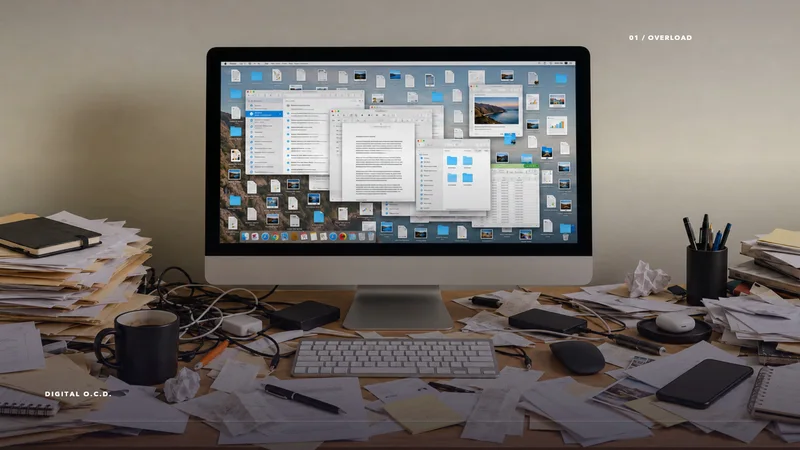
Digital O.C.D.
Clear the clutter. Give your files, inbox, and everyday digital tools a system you can keep.
Explore the 7-Day Reset →
Shared system
O.C.D. Digital Organizing is delivered remotely through private working sessions. We work alongside the people who currently hold the context, build the system inside the actual tools, and leave a practical manual an assistant or team can maintain.
The goal is not for one person to remember everything. It is for the right information to have a clear place, owner, and path forward.
Files, calendars, inboxes, notes, contacts, and tools use one understandable naming and filing logic.
Access, responsibilities, workstreams, and approvals are visible, so people know where to go and who decides.
Documented operating procedures give new information a defined path and help assistants or teams maintain the system.




























"Justin Klosky has created an extraordinary business with Organize & Create Discipline. Because I travel so often, it is very important to me that when I return home I feel a sense of serenity and order. This is accomplished through organization. Additionally, I run a company out of my home office so it is essential to me that my home be organized in such a way that will support my work.
Justin has countless 'organizing tips' for how to synchronize a home and business more effectively, and yet, is completely collaborative with what my specific habits and needs may require. He is fast, incredibly fast, and did the majority of his organization while my husband and I were out of town. What a treat to return home to a sanctuary of organization and beauty. Justin is a tremendous businessman, who runs his company with integrity and mindfulness, but he is also an artist who intuitively applies his creative sensibilities to every aspect of a project.
For example, I could imagine that with a 'move,' Justin would execute an airtight delivery system, but then organize and assemble the home with the sensibility of a designer. I wholeheartedly recommend Organize & Create Discipline (O.C.D.) for any level of professional organizational support that someone may require. I cannot imagine a scenario where they would not rise to the occasion."
Bryce Dallas Howard
"As my wife and I were getting ready for a major move into a new home, I knew we needed help to keep everything organized and stress-free, especially because I’m the opposite of all of those things. That’s when I turned to Justin Klosky and his team at Organize & Create Discipline (O.C.D.).
Justin didn’t just help us find the perfect places for everything from our old home to the new one; he also walked through the entire process with our builders and designers. He made sure that outlet placements were based on our digital organizing needs, eliminating wire clutter before we even moved in. Most significantly, he implemented organizing systems that made handling physical clutter a breeze. His attention to detail and foresight were invaluable. Having someone I’ve known for so long guide us through this major transition made the experience all the more special. I can’t recommend Justin and Organize & Create Discipline enough!"
Josh Gad
"Justin and the Organize & Create Discipline team were an absolute lifesaver. I was in the middle of tour and needed my home handled quickly and properly for a showing, and they stepped in without hesitation.
They packed, inventoried, organized, and worked seamlessly alongside my team, making the entire process feel easy and completely seamless. They brought a level of ease that made a usually stressful process, completely manageable. Everything was thoughtful, efficient, and handled with real care for my space and my things.
What could have been overwhelming felt completely handled. Super grateful for the O.C.D. Experience."
Kesha
"I've moved a lot in my life—whether it’s been across the world or just to the other side of town—and let me tell you, it can get crazy. But every single time, my buddy Justin Klosky and his team at Organize & Create Discipline have stepped in and completely saved the day. They're not just moving boxes and furniture around—they're bringing calm and order to absolute chaos. Justin and I go way back, and I’ve watched him build O.C.D. into something truly special.
These guys are like a secret weapon when you need your life (or your house) organized. Every time they’ve helped me, from moving to just getting my space in order, they’ve been spot-on. They have this insane ability to make everything click into place, like they can see the perfect flow that I can't. It’s not just about where stuff goes—it’s about making your space work for you. I’ve seen firsthand how Justin and his team put their heart and soul into what they do, and I couldn’t recommend Organize & Create Discipline enough. Trust me, if you're feeling overwhelmed or need a reset in your space, this is the crew you want in your corner."
Jack Osbourne
"My experience with Justin Klosky and his company and team O.C.D. Organize & Create Discipline, has changed my life and my families beyond measure. To have people come into your home that truly care, support and love you in such an intimate and focused way is invaluable. The countless times we have worked together was not only a service but an education. Through their purposefulness and guidance, I was able to see, live, create, play and work in a more productive and meaningful way.
When we get attached to the things that no longer serve us it’s challenging and overwhelming to organize our lives. The dedication and commitment to what matters to me and my family, the needs we didn’t even know we needed met, a higher standard of ease and happiness was given to us through O.C.D.
I will forever be their biggest fan. Thank you."
Jaime King
"Justin organized my house and I came home and I thought I was in the wrong house. He is so fantastic! Amazing!"
Sharon Osbourne
"O.C.D. Experience came up with a brand new system for my inventory that had never been used before. Justin and his team went out of their way to work with me and my team to create the best system that worked perfectly with my hectic lifestyle. It’s a completely customized way of keeping track of my clothes, shoes, bags, and accessories. It’s amazing how easy I can track down any specific item I need at any given time!"
Kim Kardashian
"I hired Justin for a family member of mine. The job had many different components, in a town that he wasn't familiar with, and I was skeptical that he could get everything done on a tight schedule. Luckily, I was wrong.
Not only did Justin finish the job early but he coordinated the town's garbage disposal and Goodwill services to collect what was, LITERALLY, 1.2 tons of waste. More importantly, he was a gentle but firm guide with my family member. Justin's upbeat and kind attitude does not interfere with his mission but rather helps people see a faster, more efficient path to the solution.
I would recommend Justin and Organize & Create Discipline to anyone who is dealing with not only the physical difficulties but also the psychology of getting organized."
Topher Grace
"Big shout out to Organize & Create Discipline that did the impossible; organized my garage and closets. He deserves a Nobel."
Paul Feig
"I guess my feelings about Organize & Create Discipline falls into a couple of categories. First, I'm pretty sure I'm not the only person who felt that incredible peace of mind as things started falling into place in my home, and how surprising and simple it can be to discover that getting the objects in one's life into the right places can activate that serenity in their life on a larger scale than in just their apartment. AND of course, I'm feeling that as all the stuff gets set right, my life just feels more right, and it makes me want to keep following the impulse to find a place for every last thing so that I can keep enjoying this growing sense of peace of mind, productivity and potential.
But secondly, the fact that you're such a positive, easygoing soul really enhances this for me, and I'm sure for your other clients. You refuse to judge, and you have this freakishly unique gift for streamlining, and always genuinely take great pride in the end result. So it's really so much more than the fantastic end result. It's just as much about enjoying a hassle-free, secure-feeling, professional PROCESS, that makes moving toward the peace of mind in that end result even more satisfying.
People should know that they will feel like you are taking care of them, that you use your gifts to enhance their lives, and that you will actually enjoy taking them on the journey."
BD Wong
"If you’re anything like me, I have great difficulty being creative when my desk and my life are filled with clutter. Being an artist and busy father, I very rarely have total foreseeable control of my daily schedule. And this can cause a lot of camera pics, emails, business cards, and Post-Its to pile up weekly. Justin and Organize & Create Discipline takes the normally exhausting task of organizing your digital assets and simplifies it. But thanks to Justin’s methods I’m able to stay on top of my business, my personal life, and my family obligations with ease."
Jaleel White
"Organize & Create Discipline helped me organize and get my life in order before and after our newest baby! I honestly had such a feeling of accomplishment and relief when we were finished! Whenever I am feeling overwhelmed by "stuff" I know I can call O.C.D. and they will help me get it under control!"
Busy Phillips
"Justin Klosky and his O.C.D. Experience has changed the way my family and I live! We love how he has organized our closets and our home, and most importantly taught us how to not let clutter pile up and take over our life and space."
Julie Chen
"I hired Organize & Create Discipline (O.C.D.) to help organize and sort through clothes and memorabilia that I pulled out of storage to sell. Justin and his team are knowledgeable and incredibly helpful not only with the logistics of the organizing but Justin is sensitive to the potential emotional component that goes into sorting through one's belongings. I couldn’t have done it without them."
Katee Sackhoff
"Organize & Create Discipline helps keep my life in order. Whether it’s in the kitchen or playroom, Justin and the O.C.D. team have made my living spaces beautiful and functional!"
Christine Chiu
Moving house is daunting to say the least. There are so many logistics, so much organizing and so many boxes! I will never move a house again without the help of the OCD Experience. The Organize & Create Discipline team were so helpful, professional and fast. They make packing and unpacking a breeze and help put your house back together in the most efficient and beautiful way. We can’t recommend them enough.
Noah and Sara Wyle




















"Justin Klosky has created an extraordinary business with Organize & Create Discipline. Because I travel so often, it is very important to me that when I return home I feel a sense of serenity and order. This is accomplished through organization. Additionally, I run a company out of my home office so it is essential to me that my home be organized in such a way that will support my work.
Justin has countless 'organizing tips' for how to synchronize a home and business more effectively, and yet, is completely collaborative with what my specific habits and needs may require. He is fast, incredibly fast, and did the majority of his organization while my husband and I were out of town. What a treat to return home to a sanctuary of organization and beauty. Justin is a tremendous businessman, who runs his company with integrity and mindfulness, but he is also an artist who intuitively applies his creative sensibilities to every aspect of a project.
For example, I could imagine that with a 'move,' Justin would execute an airtight delivery system, but then organize and assemble the home with the sensibility of a designer. I wholeheartedly recommend Organize & Create Discipline (O.C.D.) for any level of professional organizational support that someone may require. I cannot imagine a scenario where they would not rise to the occasion."
Bryce Dalls Howard
"As my wife and I were getting ready for a major move into a new home, I knew we needed help to keep everything organized and stress-free, especially because I’m the opposite of all of those things. That’s when I turned to Justin Klosky and his team at Organize & Create Discipline (O.C.D.).
Justin didn’t just help us find the perfect places for everything from our old home to the new one; he also walked through the entire process with our builders and designers. He made sure that outlet placements were based on our digital organizing needs, eliminating wire clutter before we even moved in. Most significantly, he implemented organizing systems that made handling physical clutter a breeze. His attention to detail and foresight were invaluable. Having someone I’ve known for so long guide us through this major transition made the experience all the more special. I can’t recommend Justin and Organize & Create Discipline enough!"
Josh Gad
"Justin and the Organize & Create Discipline team were an absolute lifesaver. I was in the middle of tour and needed my home handled quickly and properly for a showing, and they stepped in without hesitation.
They packed, inventoried, organized, and worked seamlessly alongside my team, making the entire process feel easy and completely seamless. They brought a level of ease that made a usually stressful process, completely manageable. Everything was thoughtful, efficient, and handled with real care for my space and my things.
What could have been overwhelming felt completely handled. Super grateful for the O.C.D. Experience."
Kesha
"I've moved a lot in my life—whether it’s been across the world or just to the other side of town—and let me tell you, it can get crazy. But every single time, my buddy Justin Klosky and his team at Organize & Create Discipline have stepped in and completely saved the day. They're not just moving boxes and furniture around—they're bringing calm and order to absolute chaos. Justin and I go way back, and I’ve watched him build O.C.D. into something truly special. These guys are like a secret weapon when you need your life (or your house) organized. Every time they’ve helped me, from moving to just getting my space in order, they’ve been spot-on. They have this insane ability to make everything click into place, like they can see the perfect flow that I can't. It’s not just about where stuff goes—it’s about making your space work for you. I’ve seen firsthand how Justin and his team put their heart and soul into what they do, and I couldn’t recommend Organize & Create Discipline enough. Trust me, if you're feeling overwhelmed or need a reset in your space, this is the crew you want in your corner.
These guys are like a secret weapon when you need your life (or your house) organized. Every time they’ve helped me, from moving to just getting my space in order, they’ve been spot-on. They have this insane ability to make everything click into place, like they can see the perfect flow that I can't. It’s not just about where stuff goes—it’s about making your space work for you. I’ve seen firsthand how Justin and his team put their heart and soul into what they do, and I couldn’t recommend Organize & Create Discipline enough. Trust me, if you're feeling overwhelmed or need a reset in your space, this is the crew you want in your corner."
Jack Osbourne
"My experience with Justin Klosky and his company and team O.C.D. Organize & Create Discipline, has changed my life and my families beyond measure. To have people come into your home that truly care, support and love you in such an intimate and focused way is invaluable. The countless times we have worked together was not only a service but an education. Through their purposefulness and guidance, I was able to see, live, create, play and work in a more productive and meaningful way."
When we get attached to the things that no longer serve us it’s challenging and overwhelming to organize our lives. The dedication and commitment to what matters to me and my family, the needs we didn’t even know we needed met, a higher standard of ease and happiness was given to us through O.C.D.
I will forever be their biggest fan. Thank you."
Jaime King
"Justin organized my house and I came home and I thought I was in the wrong house. He is so fantastic! Amazing!"
Sharon Osbourne
"O.C.D. Experience came up with a brand new system for my inventory that had never been used before. Justin and his team went out of their way to work with me and my team to create the best system that worked perfectly with my hectic lifestyle. It’s a completely customized way of keeping track of my clothes, shoes, bags, and accessories. It’s amazing how easy I can track down any specific item I need at any given time!"
Kim Kardashian
"I hired Justin for a family member of mine. The job had many different components, in a town that he wasn't familiar with, and I was skeptical that he could get everything done on a tight schedule. Luckily, I was wrong.
Not only did Justin finish the job early but he coordinated the town's garbage disposal and Goodwill services to collect what was, LITERALLY, 1.2 tons of waste. More importantly, he was a gentle but firm guide with my family member. Justin's upbeat and kind attitude does not interfere with his mission but rather helps people see a faster, more efficient path to the solution.
I would recommend Justin and Organize & Create Discipline to anyone who is dealing with not only the physical difficulties but also the psychology of getting organized."
Topher Grace
"Big shout out to Organize & Create Discipline that did the impossible; organized my garage and closets. He deserves a Nobel."
Paul Feig
"I guess my feelings about Organize & Create Discipline falls into a couple of categories. First, I'm pretty sure I'm not the only person who felt that incredible peace of mind as things started falling into place in my home, and how surprising and simple it can be to discover that getting the objects in one's life into the right places can activate that serenity in their life on a larger scale than in just their apartment. AND of course, I'm feeling that as all the stuff gets set right, my life just feels more right, and it makes me want to keep following the impulse to find a place for every last thing so that I can keep enjoying this growing sense of peace of mind, productivity and potential.
But secondly, the fact that you're such a positive, easygoing soul really enhances this for me, and I'm sure for your other clients. You refuse to judge, and you have this freakishly unique gift for streamlining, and always genuinely take great pride in the end result. So it's really so much more than the fantastic end result. It's just as much about enjoying a hassle-free, secure-feeling, professional PROCESS, that makes moving toward the peace of mind in that end result even more satisfying.
People should know that they will feel like you are taking care of them, that you use your gifts to enhance their lives, and that you will actually enjoy taking them on the journey."
BD Wong
"If you’re anything like me, I have great difficulty being creative when my desk and my life are filled with clutter. Being an artist and busy father, I very rarely have total foreseeable control of my daily schedule. And this can cause a lot of camera pics, emails, business cards, and Post-Its to pile up weekly. Justin and Organize & Create Discipline takes the normally exhausting task of organizing your digital assets and simplifies it. But thanks to Justin’s methods I’m able to stay on top of my business, my personal life, and my family obligations with ease."
Jaleel White
"Organize & Create Discipline helped me organize and get my life in order before and after our newest baby! I honestly had such a feeling of accomplishment and relief when we were finished! Whenever I am feeling overwhelmed by "stuff" I know I can call O.C.D. and they will help me get it under control!"
Busy Phillips
"Justin Klosky and his O.C.D. Experience has changed the way my family and I live! We love how he has organized our closets and our home, and most importantly taught us how to not let clutter pile up and take over our life and space."
Julie Chen
"I hired Organize & Create Discipline (O.C.D.) to help organize and sort through clothes and memorabilia that I pulled out of storage to sell. Justin and his team are knowledgeable and incredibly helpful not only with the logistics of the organizing but Justin is sensitive to the potential emotional component that goes into sorting through one's belongings. I couldn’t have done it without them."
Katee Sackhoff
"Organize & Create Discipline helps keep my life in order. Whether it’s in the kitchen or playroom, Justin and the O.C.D. team have made my living spaces beautiful and functional!"
Christine Chiu
Moving house is daunting to say the least. There are so many logistics, so much organizing and so many boxes! I will never move a house again without the help of the OCD Experience. The Organize & Create Discipline team were so helpful, professional and fast. They make packing and unpacking a breeze and help put your house back together in the most efficient and beautiful way. We can’t recommend them enough.
Sara & Noah Wyle